explainer
EXPLAINER — automated explainer videos for your apps
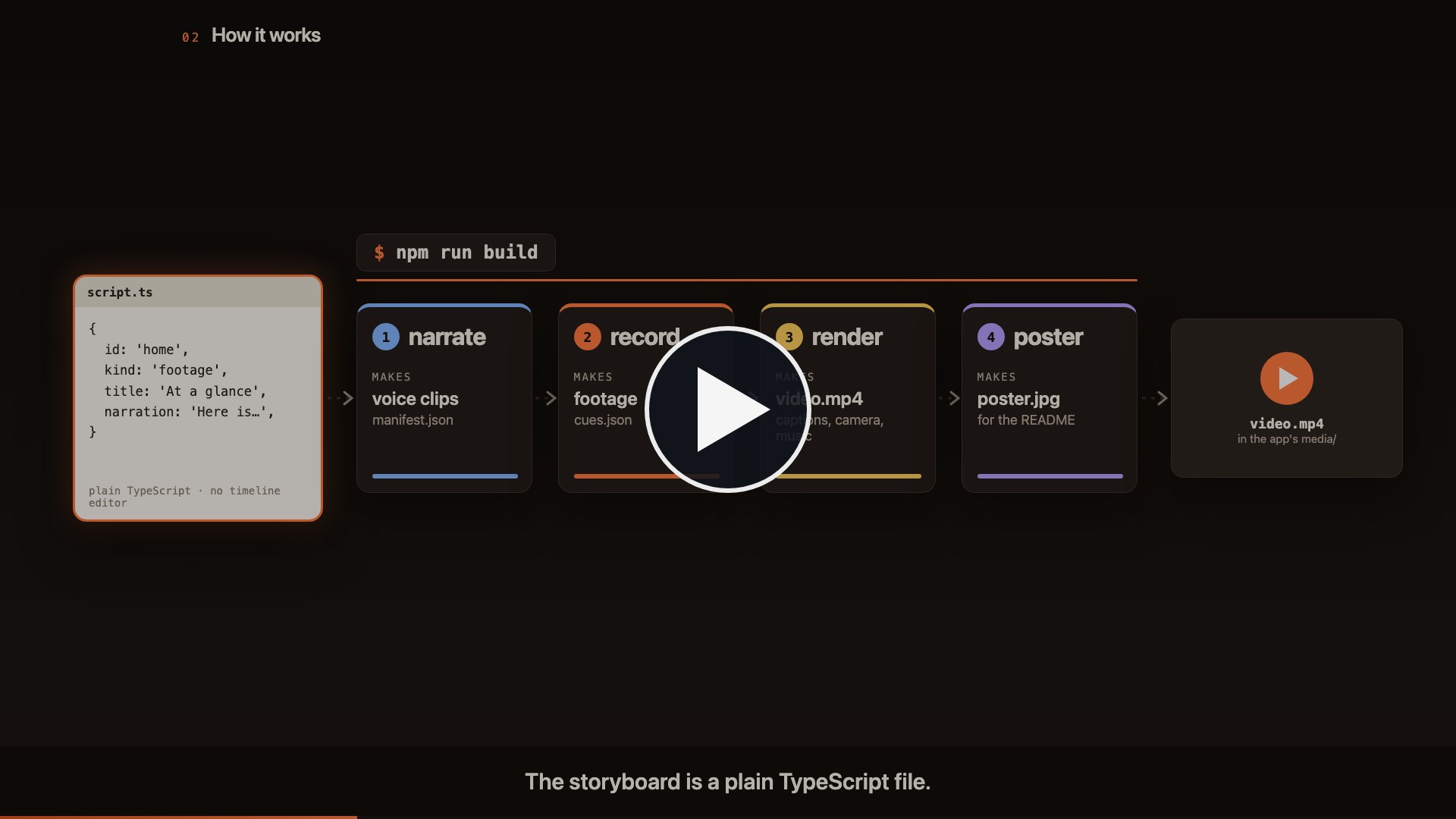
▶ Watch the 90-second explainer · made with the pipeline itself: explainer/
One command, run from an app’s folder, turns its storyboard into a narrated, captioned product video plus a README poster:
cd "../FLIGHT DECK"
npm --prefix ../EXPLAINER run build   # narrate → record → render → poster   ⇒ media/<id>-explainer.mp4, media/explainer-poster.jpg
This folder is the engine. It lives at _LOCAL APP DEVELOPMENT/EXPLAINER, next to the apps it films, and
holds nothing that belongs to them. Each video’s source lives with its app and is committed to the app’s repo:
| What | Where | In git |
|---|---|---|
The engine: scripts/, src/ (the kit), node_modules, .env |
EXPLAINER/ |
this repo (not .env) |
| A video’s source: storyboard, recorder choreography, scenes, music | <app>/explainer/ |
the app’s repo |
| Narration clips, recorded footage, renders, stills | EXPLAINER/build/<id>/ |
never: a cache, delete it to start over |
| The finished MP4 and poster | <app>/media/ |
the app’s repo |
render and poster copy their result into the media/ folder next to explainer/;
npm run deliver copies them again without re-rendering.
Which video a command works on: the app folder you ran it from (it finds explainer/ there or above);
otherwise --project=<app folder> (or EXPLAINER_PROJECT), or VIDEO=<id> / --video=<id>, which looks the
id up among the apps next to this folder. npm run projects lists them. This folder’s own video is the
explainer/ project here (VIDEO=pipeline).
Everything is code. Change a line of narration, re-run, and the voiceover, the footage pacing, the captions and the camera moves all follow.
How it works
<app>/explainer/script.ts      the storyboard: scenes, narration, routes, caveats
        │
        ├─ npm run narrate     scripts/narrate.ts  → build/<id>/public/narration/*.mp3 + manifest.json
        │                      TTS: macOS `say` by default; ElevenLabs or OpenAI if a key is in .env.
        │                      Clips are cached by text hash, so only edited lines regenerate.
        │
        ├─ npm run record      scripts/record.ts   → build/<id>/public/footage/*.mp4 + cues.json
        │                      Playwright drives the real app (served locally) with a visible
        │                      cursor, click ripples and a spotlight, one clip per scene, paced to
        │                      the narration. Zoom "cues" (element rectangles + timestamps) are
        │                      written alongside so the camera moves are computed, not hand-keyed.
        │
        ├─ npm run render      scripts/render.ts   → build/<id>/<id>.mp4 → <app>/media/<id>-explainer.mp4
        │                      Remotion composes: themed motion-graphics background, the video's own
        │                      animated scenes (cold open, how-it-works diagram, outro), footage in
        │                      a browser frame with smooth zooms, lower-thirds, sentence captions,
        │                      narration audio, music bed ducked under the voice, progress bar.
        │
        └─ npm run poster      scripts/poster.ts   → build/<id>/<id>-poster.jpg → <app>/media/explainer-poster.jpg
                               One frame (spec.poster.atSec) with a play badge, for the README.

<app> is the folder that holds explainer/. Remotion bundles one project per run: remotion.config.ts maps
'@project' to <app>/explainer and '@explainer/…' to this folder, and serves build/<id>/public/ (the project's
own public/ plus the generated narration/ and footage/).
Useful extras:
npm run studio                 # Remotion Studio: live preview, scrub the timeline
npm run check                  # type-check the engine with this project before a long render
npm run record -- assistant    # re-record just one scene
npm run stills                 # one PNG per scene in build/<id>/stills/ for a quick visual check
npm run render -- --quality    # slower, higher-bitrate encode
npm run projects               # every <app>/explainer/ next to this folder, by id
From an app’s folder, each is npm --prefix ../EXPLAINER run <script>.
Narration voices
| Provider | How to enable | Quality |
|---|---|---|
| macOS say | default, offline, free | fine for cutting; robotic |
| ElevenLabs | ELEVENLABS_API_KEY (+ optional ELEVENLABS_VOICE_ID) |
broadcast-grade |
| OpenAI | OPENAI_API_KEY (+ optional OPENAI_TTS_VOICE) |
very good |
| Your own voice | put <app>/explainer/voice/<scene-id>.wav (or mp3/m4a) files |
you |
Copy .env.example to .env, add a key, run npm run narrate. TTS_PROVIDER forces a choice.
The voice is per video: voice.elevenlabs (or voice.openai) in script.ts wins over the .env default.
Recording it yourself. Read each scene’s narration from script.ts into one file per scene,
named by scene id (cold-open.wav, home.wav, …). With ASSEMBLYAI_API_KEY set, npm run narrate
transcribes each clip and stores word timestamps in the manifest, so captions and the animated
beats land on the words you actually said instead of a proportional estimate.
Pronunciation fixes go in a scene’s spoken field; narration is what the captions show.
Background music
Drop a track under <app>/explainer/public/music/ and point the storyboard at it:
music: { file: 'music/ready-to-move.wav', volume: 0.22, duckTo: 0.07, fadeOutSec: 3 },
volume is the level between narration lines and duckTo the level while a line plays
(ramped over duckRampSec, default 0.6 s); the bed fades in at the start and out at the end.
The track must be at least as long as the video. Only the render step reads it, so
npm run render is enough after changing the track or the levels.
Adding another app
Everything app-specific lives in one folder inside the app:
<app>/explainer/
├── script.ts      the storyboard: scenes, narration, routes, voice, theme, music, poster moment
├── record.ts      recorder choreography: one action per footage scene (click, spotlight, zoom cues)
├── scenes/        the animated scenes as React components (cold open, diagram, outro …)
├── index.ts       exports { spec, components } for Remotion
├── public/        files the video reads with staticFile(): music/, logos …
├── voice/         optional: your own narration, one file per scene
└── demo/          optional: a stage page for the recorder to film
- Copy the closest existing project into
<app>/explainer/(npm run projectslists them; week-prep’s is the web-app example) and setid,name,repoUrl,demoUrl, andrecord: a folder + page to serve (appDiris relative to the app folder, so'.'for ademo.htmlat the root), orurlof a dev server you already started, plus the viewport, andreadySelectorif the app’s root element is not#app. For a narrow UI such as a browser side panel, lay the page out at 1600×900 and draw it with CSSzoominto a larger viewport (e.g. 2400×1350 withdpr: 1) so the camera can zoom in without blurring; the Flight Deck stage (FLIGHT DECK/explainer/demo/stage.html) does this, loading the extension’s own files from the repo root. - Write the scenes in
script.ts:kind: 'animated'scenes name a component;kind: 'footage'scenes name a hash route in the app. Narration is what the captions show;spokenfixes pronunciation. - Restyle:
themeoverrides any palette key (seesrc/kit/theme.ts) so the motion graphics echo the app;stylepicks a variant of each shared kit piece (see “Style presets” below);voice.elevenlabspicks the narrator;musicadds a bed;poster.atSecpicks the still. - Write
record.ts: for each footage scene, drive the page with theSceneRecorder(until,moveTo,click,type,spot,zoom,zoomUnion,eval) paced to the narration length. - Rewrite or replace the components in
scenes/and register them inindex.ts. They import the kit as@explainer/src/kit/…and resolvereactandremotionfrom this folder, so the app needs no packages. If the app has its owntsconfig.jsonor linter that covers the whole repo, excludeexplainer/there. - From the app’s folder:
npm --prefix ../EXPLAINER run check, thenrun build.
Footage scenes are generic: anything the app can be driven to in a browser can be recorded. For a native app, swap the Playwright recorder for a screen capture and hand-write the cues.
explainer/ in this folder is the worked example of a project with no UI of its own (this pipeline): its
footage comes from a small stage page, explainer/demo/stage.html, that lays the real artifacts of another
video’s run (storyboard, narration clips, recorded footage and cues, a rendered excerpt) next to a terminal;
that snapshot is not kept in the repo (explainer/demo/assets/ and the outro’s explainer/public/posters/ are
gitignored), so snapshot a run there before re-recording. The terminal output is replayed, not re-run, and
each scene carries an on-screen note saying so.
Style presets
Two videos on the same kit look like siblings unless the kit itself changes shape. style in the storyboard
picks a variant of each shared piece; every key is optional and the defaults reproduce the original look:
style: { frame: 'bare', captions: 'bar', lowerThird: 'chapter-card', background: 'paper', transition: 'slide' },
| Key | Variants | What changes |
|---|---|---|
frame |
mac · bare · window |
browser window with traffic lights · full-bleed hairline frame · floating tilted window |
captions |
pill · bar · none |
centred rounded box · full-width strip at the bottom · off |
lowerThird |
bar · chapter-card · none |
numbered bar top-left · centred title card that settles into a label · off |
background |
glow-grid · flat · mesh · paper |
drifting grid with glows · plain gradient · slow gradient blobs · light sheet with grain |
transition |
fade · slide · zoom-through |
how one scene hands over to the next |
Pair paper with a light theme (bg0, ink, muted, captionBg, captionInk …) and theme.display
for a headline face; the INVEST-IGATOR video is the worked example of the inverse of week-prep’s dark stage.
Honesty notes baked into the week-prep video
- The public demo page has no API key, so the assistant’s reply in the “Assistant” scene is a scripted stand-in injected by the recorder. The drawer, proposal cards and Apply logic are the app’s real code, and the scene carries an on-screen note saying so.
- All data shown is the demo page’s fictional sample week.
Requirements
- Node 20+.
npm install, thennpx playwright install chromium ffmpegonce per machine.- Google Chrome installed is preferred for recording (
RECORD_BROWSER=chrome|chromium|/pathoverrides).
Setting up on a new machine: bump every remotion / @remotion/* entry in package.json to the
current release before npm install; they must all match.
Things that bit once
- Forcing
TTS_PROVIDER=elevenlabswithout a key makesnarratefail; leave it unset to auto-pick. - A long render can occasionally time out with “waiting for the page to render … frame N”; it is
not deterministic. Re-run
npm run render(narration and footage are cached). - Remotion’s bundled ffmpeg is a slim build without analysis filters (
volumedetectetc.). Measure loudness with a small script that reads the WAV samples instead.